📌 UPDATE — July 13, 2026
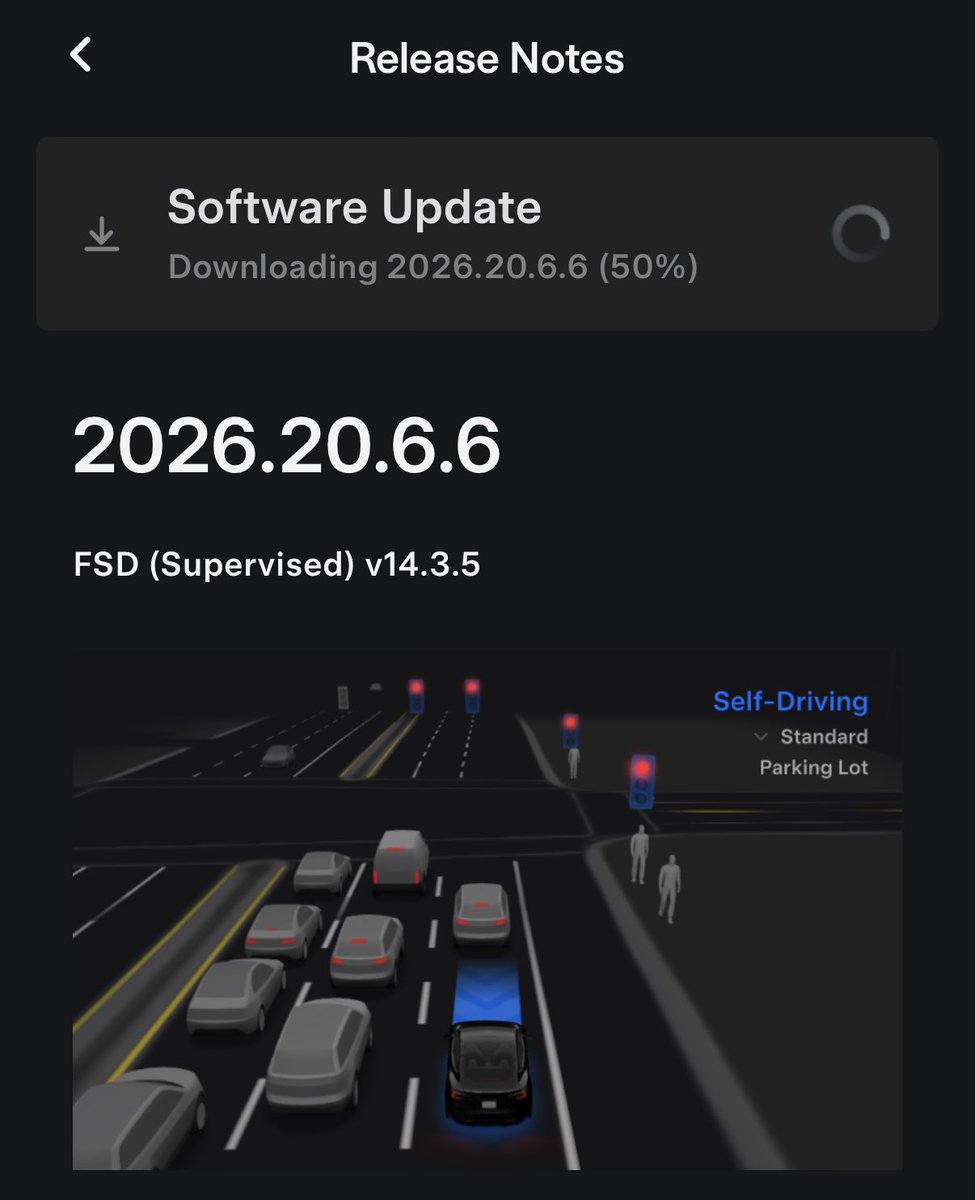
Tesla FSD 14.3.5 is gaining momentum with a confirmed second rollout wave now underway via OTA update 2026.20.6.6. Tracker @NowRollingOut flagged the new wave earlier today, and @wholemars confirmed the update is hitting additional vehicle models — including a Model S — suggesting the deployment is expanding beyond the initial recipient pool. If you haven't received 14.3.5 yet, now is a good time to check your Tesla app for a pending update.


📌 UPDATE — July 13, 2026
FSD v14.3.5 is now actively installing for users, with early adopters confirming two key new features: the camera preview can be opened at any time (not just during FSD engagement), and the Tesla app now displays when FSD is actively engaged while driving. The in-app FSD status indicator was previously spotted in FSD 14 Lite, but is now rolling out to the full FSD v14.3.5 build via 2026.20.6.6.
@DirtyTesLa · July 13, 2026"FSD 14.3.5 is installing now! You can now open the camera preview at any time. Also, the app will show if FSD is active while driving (already seen in FSD 14 Lite)"

Tesla began pushing FSD (Supervised) v14.3.5 to AI4 vehicles overnight as part of software update 2026.20.6.6, and the first confirmed change is one owners will actually use every day: Camera Preview can now be opened at any time — not just when the car is in Park. Rollout was confirmed within minutes by multiple trackers, with @wholemars and @SawyerMerritt among the first to receive the download prompt.
Because this build is based on the 2026.20 branch, it also inherits the recent mobile-app visibility features Tesla shipped earlier in the branch, which means live self-driving status in the Tesla app may be part of the package for eligible vehicles. Here's what's confirmed, what to do right now, and how to use the new Camera Preview behavior.

What Changed in 2026.20.6.6
| Change | Type | Models |
|---|---|---|
| FSD (Supervised) v14.3.5 stack | Official | AI4 (HW4) vehicles |
| Camera Preview accessible while not in Park | 🔍 Undocumented | Model 3, Y, S, X, Cybertruck |
| Self-driving status in mobile app (inherited from 2026.20 branch) | Official (branch-level) | HW3 & HW4 |
The headline feature is the Camera Preview change. Previously, owners could only pull up individual camera feeds through the Service menu while the car was parked — useful for diagnostics but not much else. In 2026.20.6.6, that gate is gone. You can pull up any camera view mid-drive or while stopped at a light, per @SawyerMerritt's hands-on confirmation.

Action Plan: How to Get and Use the Update
1. Check for the update
Open your Tesla mobile app or go to Controls > Software in your vehicle. If 2026.20.6.6 is available, you'll see the download prompt. Tesla rollouts are staged, so if it isn't there yet, keep the car on Wi-Fi with Standby Mode enabled to ensure you're at the front of the queue when your VIN is targeted.
2. Confirm you're on AI4 (HW4)
The v14.3.5 stack is currently rolling to AI4 vehicles. If you're on HW3, you're on a separate track — Tesla has been shipping FSD v14 "Lite" (2026.20.5.1) to HW3 cars, according to Teslarati's rollout coverage, which brings a distilled version of the v14 driving behavior with reinforcement learning, smoother driving, and parking capabilities. Either way, the 2026.20 branch benefits apply.
3. Use the new Camera Preview
Once installed, navigate to Controls > Service > Camera Preview and tap any camera view. You can now do this whether you're in Drive, Reverse, Neutral, or Park. Practical uses:
- Checking the rear camera at a stoplight without shifting into Reverse
- Verifying pillar and repeater camera views before a lane change on unfamiliar roads
- Diagnosing a suspected obstruction (bug, water, dirt) on any camera without pulling over
- Passenger-side confirmation when parallel parking with the front bumper camera
4. Enable mobile app self-driving visibility
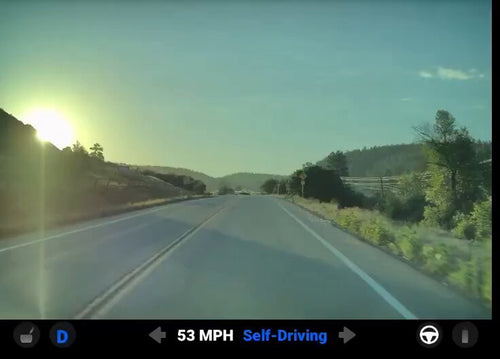
Because 2026.20.6.6 builds on the 2026.20 branch, the mobile-app feature that shows a blue FSD route on the map when the vehicle is actively self-driving should be available. According to windowsforum.com, this feature was introduced with 2026.20.6.1 and Tesla app version 4.58.5. Update the Tesla app on your phone if you haven't recently, then check the live location view when FSD is engaged.
5. Turn on Camera via Mobile App (optional)
If you also want live camera viewing from your phone, go to Controls > Safety and toggle on "View Camera via Mobile App." This is a separate feature from the in-vehicle Camera Preview change, but the 2026.20 branch enhances Dashcam Viewer with clips that can extend up to 24 hours and include speed, steering wheel angle, and self-driving state data (Premium Connectivity required).
What's Still Unconfirmed
Tesla has not published official release notes for 2026.20.6.6 as of publication time. That's typical for point releases in an active FSD branch — Tesla often lets the community and trackers surface the deltas first before formal notes appear. A few items to watch:
- FSD v14.3.5 driving improvements: Prior v14.3.x builds included upgrades to the reinforcement learning stage, a rewritten AI compiler yielding roughly 20% faster reaction time, and better handling of emergency vehicles and complex intersections, according to Teslarati. Expect similar or incremental gains in v14.3.5, but wait for hands-on reports before assuming specific behavior changes.
- HW3 timing: HW3 owners typically receive branch updates on a delayed cadence. The v14 Lite track is the current path for those vehicles.
- Wider rollout percentage: As of early July 13, the update was in initial-wave distribution. Expect fleet-wide availability to expand over the coming days.

Editor's View
The Camera Preview change is a small quality-of-life win that punches above its weight. Owners have been asking for a way to spot-check cameras without parking for years — it's the kind of feature that costs nothing in compute but pays off constantly in daily driving. The fact that Tesla shipped it quietly, without release-note fanfare, is consistent with how the 2026.20 branch has been operating: incremental, owner-driven refinements rolling out on top of the v14 FSD stack.
The bigger story remains the branch itself. Between mobile-app self-driving visibility, extended Dashcam Viewer clips, and the v14 Lite path for HW3, Tesla is closing the feature gap between hardware generations faster than it has in previous cycles. For FSD coverage across all recent builds, see our FSD coverage.
If you get 2026.20.6.6 today, the first thing to try is the Camera Preview at a stoplight. It's the kind of change you'll wonder how you lived without.
📋 Tracking Tesla software? See every firmware, FSD and app version in one place in our Tesla Software Update Tracker.
Related Gear
Gear up your Tesla with tested, custom-fit BASENOR accessories — shop Tesla accessories →

Marcus covers Tesla's software releases, FSD rollouts, and OTA changes. Background in automotive engineering. Based in Austin.
Sources verified at publish time. Spotted an inaccuracy? Email editorial@basenor.com.